Stageburn
A keyboard-first project management tool with integrated time tracking, built for developers who bill by the hour.
The Brief
Developers who bill clients need two things: task management and time tracking. The standard solution is to run Linear or Jira alongside Toggl or Harvest. Context-switching between tools means lost time, forgotten entries, and inaccurate invoices.
I wanted a single tool that treated time tracking as a first-class feature, not an afterthought. Something with Linear's speed and keyboard-driven interface, but with timers built into every interaction.
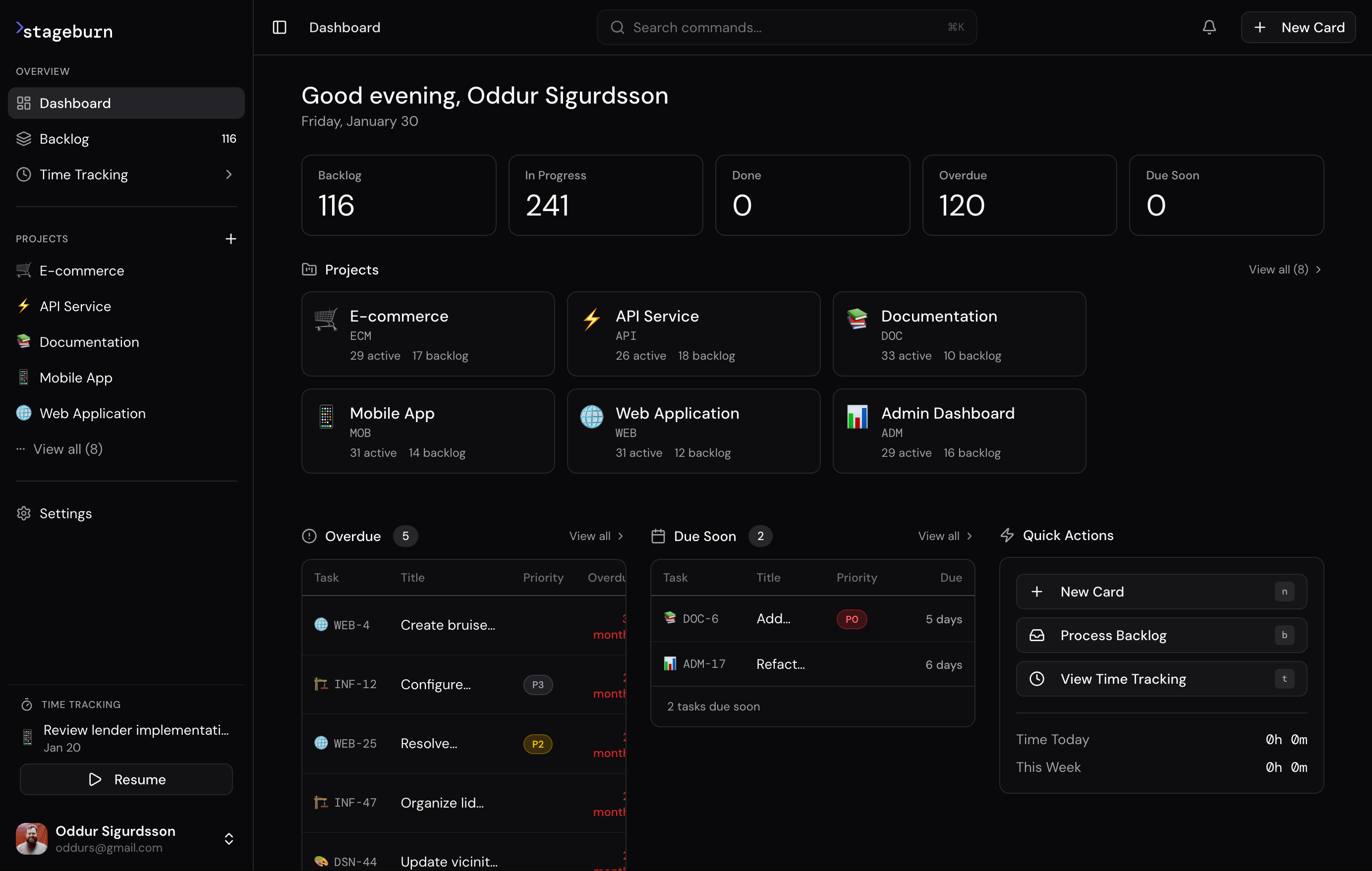
The dashboard surfaces what matters: active cards across projects, overdue items, and upcoming deadlines. Quick actions let you jump straight into work—create a card, process the backlog, or start tracking time. No hunting through menus.
The Solution
Stageburn is project management for developers who track time. A Kanban board with a running timer always one click away. A command bar that understands /track 30m "debugging auth" as naturally as /assign @sara.
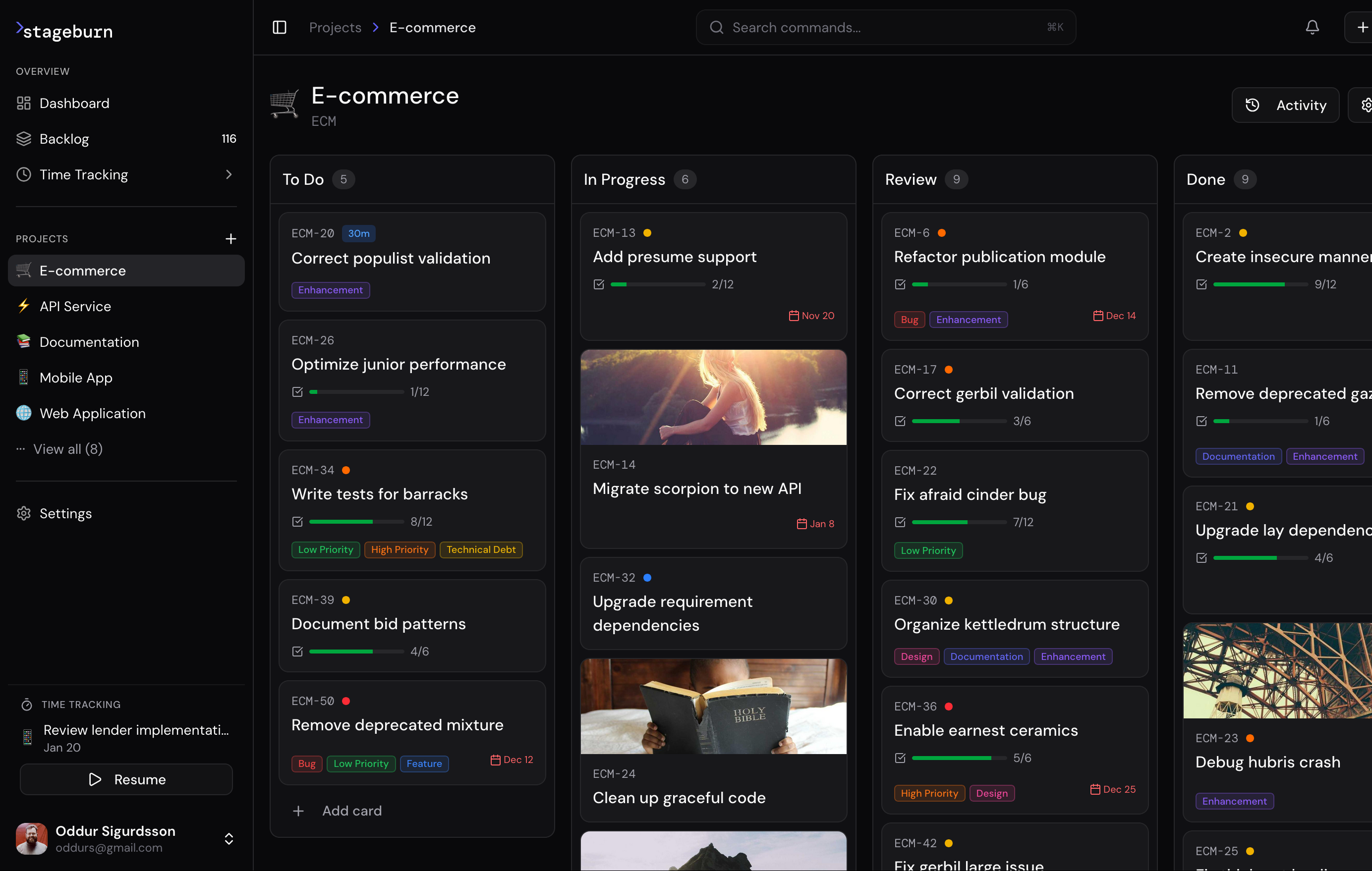
The board view shows work flowing through lanes—To Do, In Progress, Review, Done. Cards display checklist progress, due dates, priority indicators, and labels at a glance. Image covers add visual context without cluttering the interface.
Keyboard-First Everything
Every action is accessible without touching the mouse. Vim-style navigation (j/k to move between cards, h/l between lanes), a command bar via / or ⌘K, and over 100 customizable shortcuts for power users.
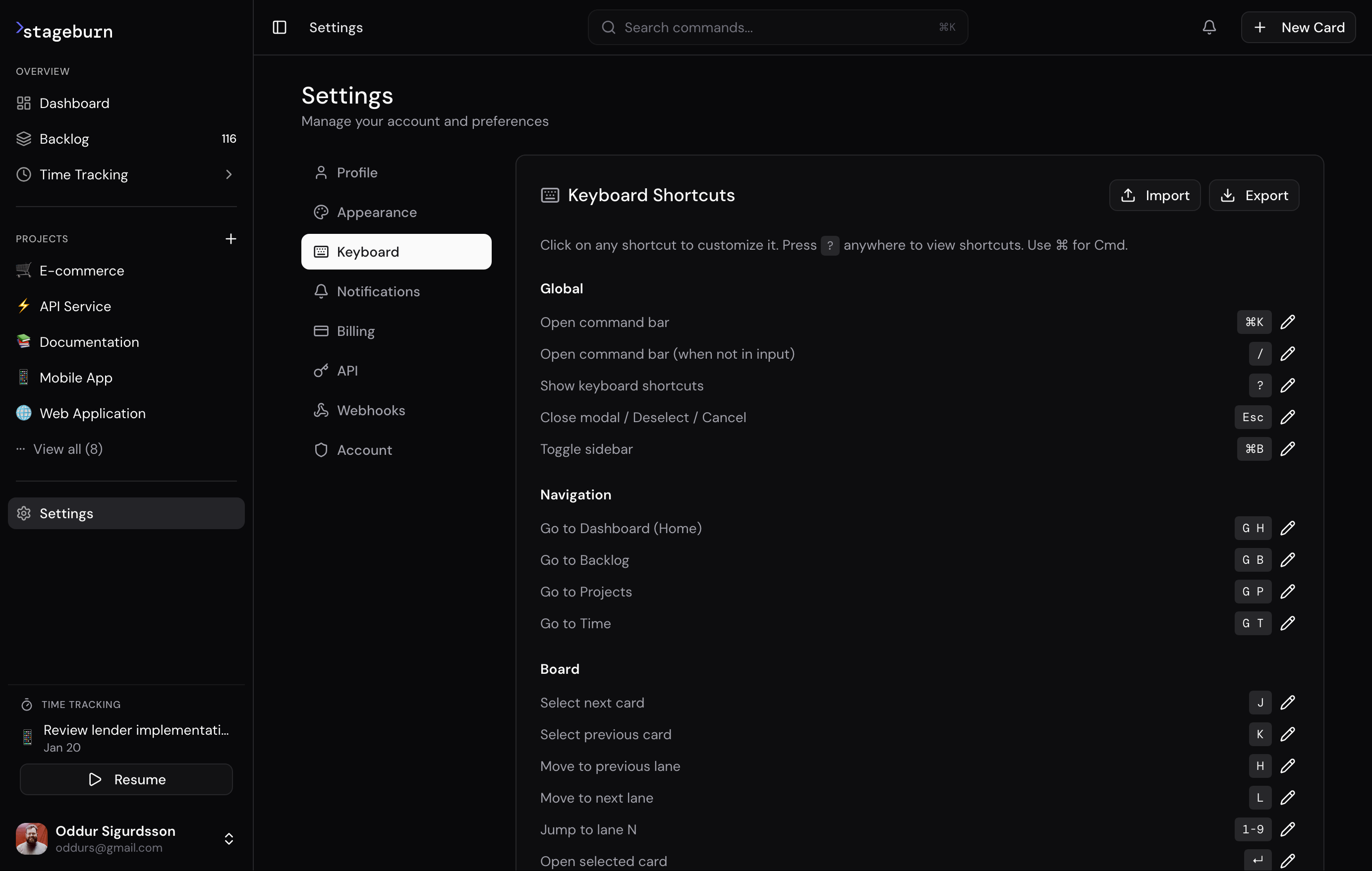
Navigation shortcuts follow a consistent pattern: G then a letter takes you somewhere (G H for home, G B for backlog, G T for time tracking). Board shortcuts use familiar Vim bindings. Every shortcut can be rebound to match your muscle memory.
/due tomorrow
/assign @sara
/bug /p1
/track 45m "API integration"
/start
Time as a First-Class Citizen
The timer lives in the sidebar, always visible. One click starts tracking against the current card. The time tracking view breaks down hours by project, by label, by date—ready for client invoices or internal reporting.
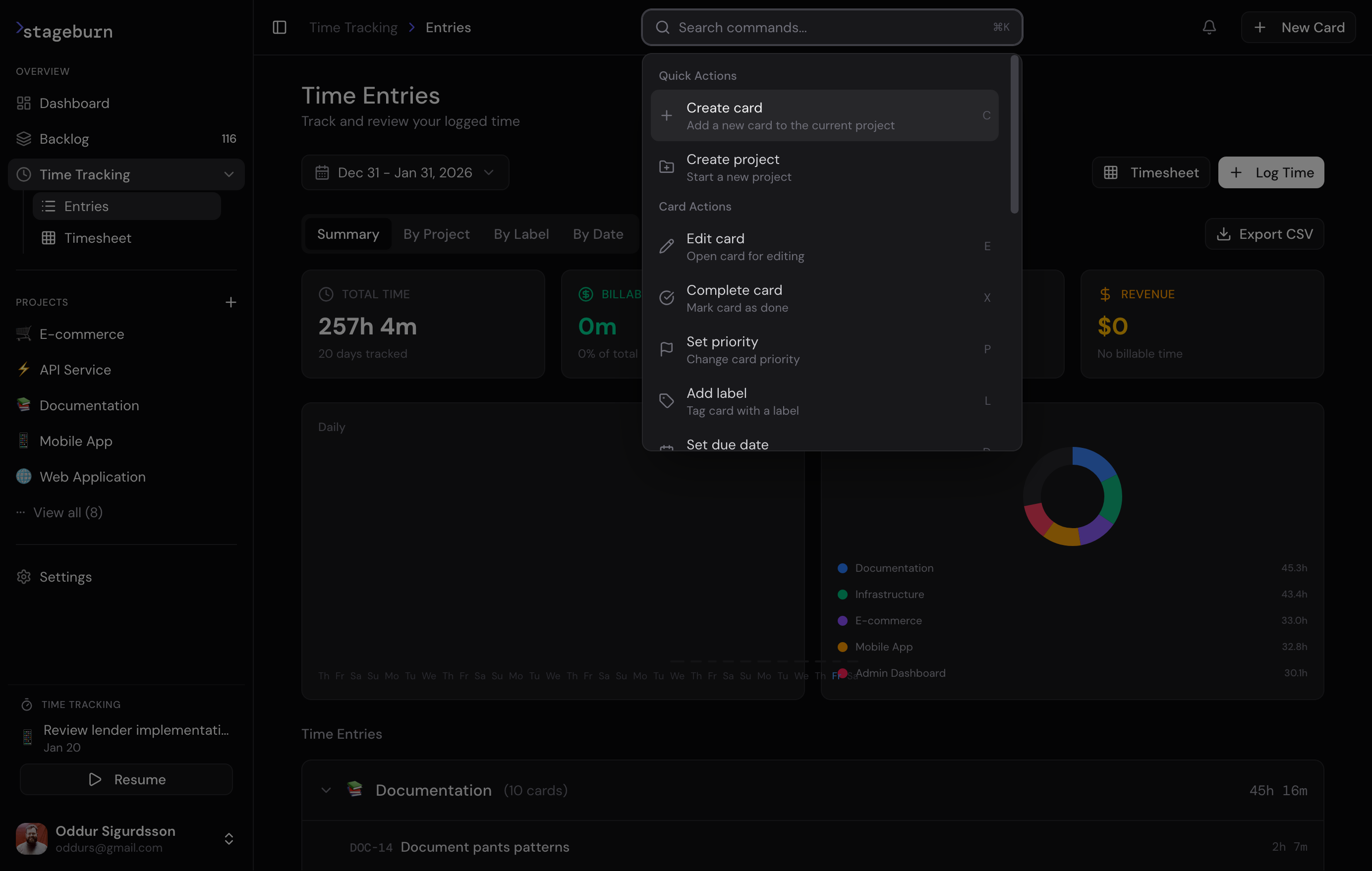
The command bar integrates time tracking into the natural workflow. Quick actions let you create cards, set priorities, or log time without leaving your current context. Summary cards show total hours tracked and billable revenue at a glance.
Rich Card Details
Cards aren't just titles and labels. Each card is a workspace: description in Markdown, checklists with progress tracking, threaded comments with formatting support, and a full activity history showing every change.
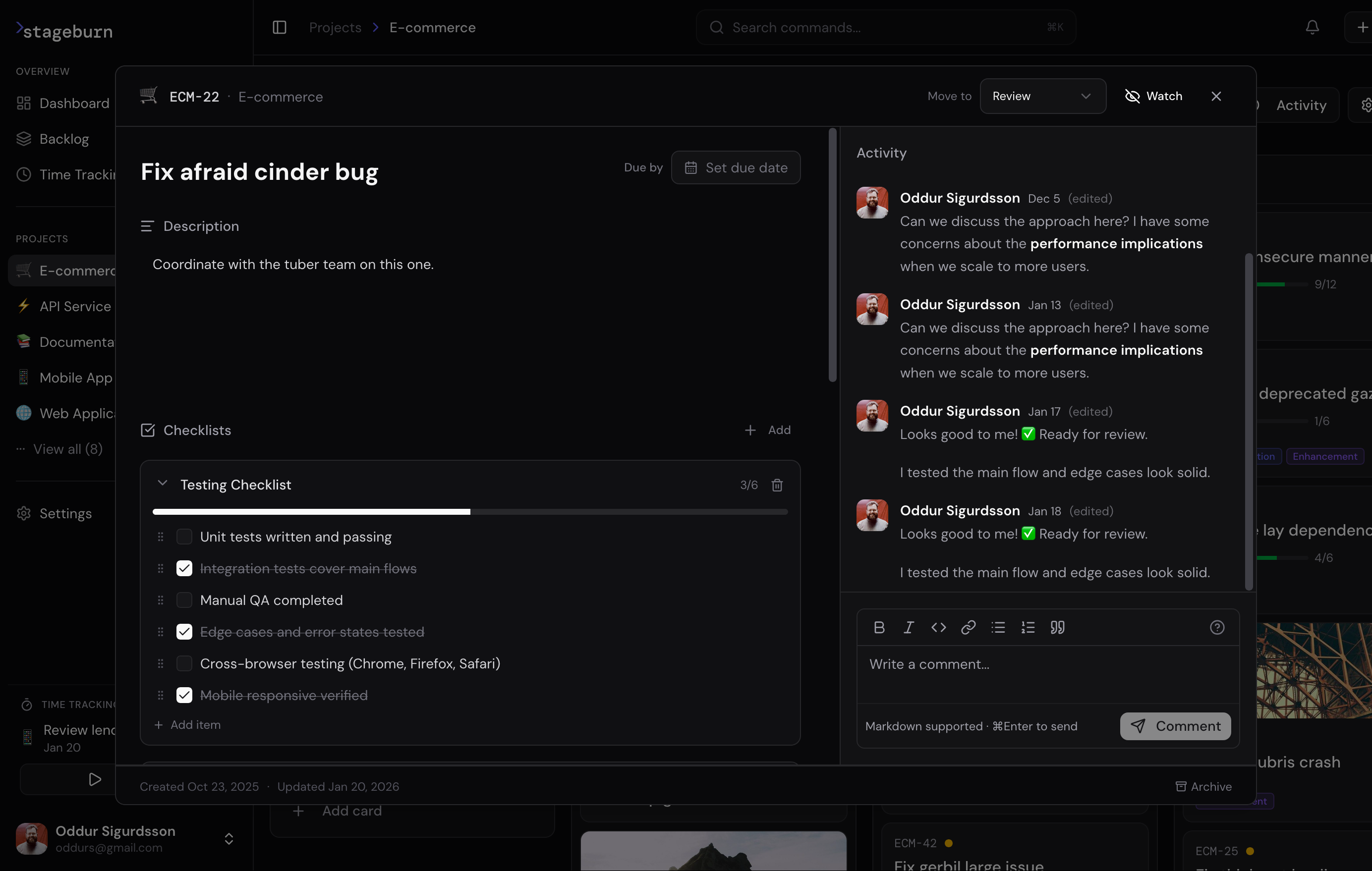
Checklists break complex work into trackable steps. The activity feed shows the full story—comments, status changes, time entries—so context is never lost. Comments support Markdown with code blocks, making technical discussions readable.
Backlogs ≠ Boards
Ideas live in the backlog. Work lives on the board. Stageburn separates curation from execution. The backlog is a pool of possibilities; the board is a flow toward completion. This separation keeps active work focused while giving ideas a place to grow.
Technical Implementation
Frontend: Next.js 15 with React 19, TypeScript, Tailwind CSS, TanStack Query for server state, Zustand for local state, dnd-kit for drag-and-drop.
Backend: Supabase for PostgreSQL, authentication, real-time sync, and row-level security. Stripe for billing. Resend for transactional email.
Performance targets: <50ms command palette response, <100ms UI interactions. Optimistic updates everywhere—the UI responds before the server confirms.
The Data Model
Nine tables handle everything. Cards get auto-incrementing identifiers per project (ECM-22, API-14). Fractional positioning enables smooth drag-and-drop without reindexing. Row-level security isolates tenants at the database layer.
-- Core entities
profiles → projects → cards → time_entries
                   → lanes
                   → labels → card_labels
                   → sprints
The Landing Page
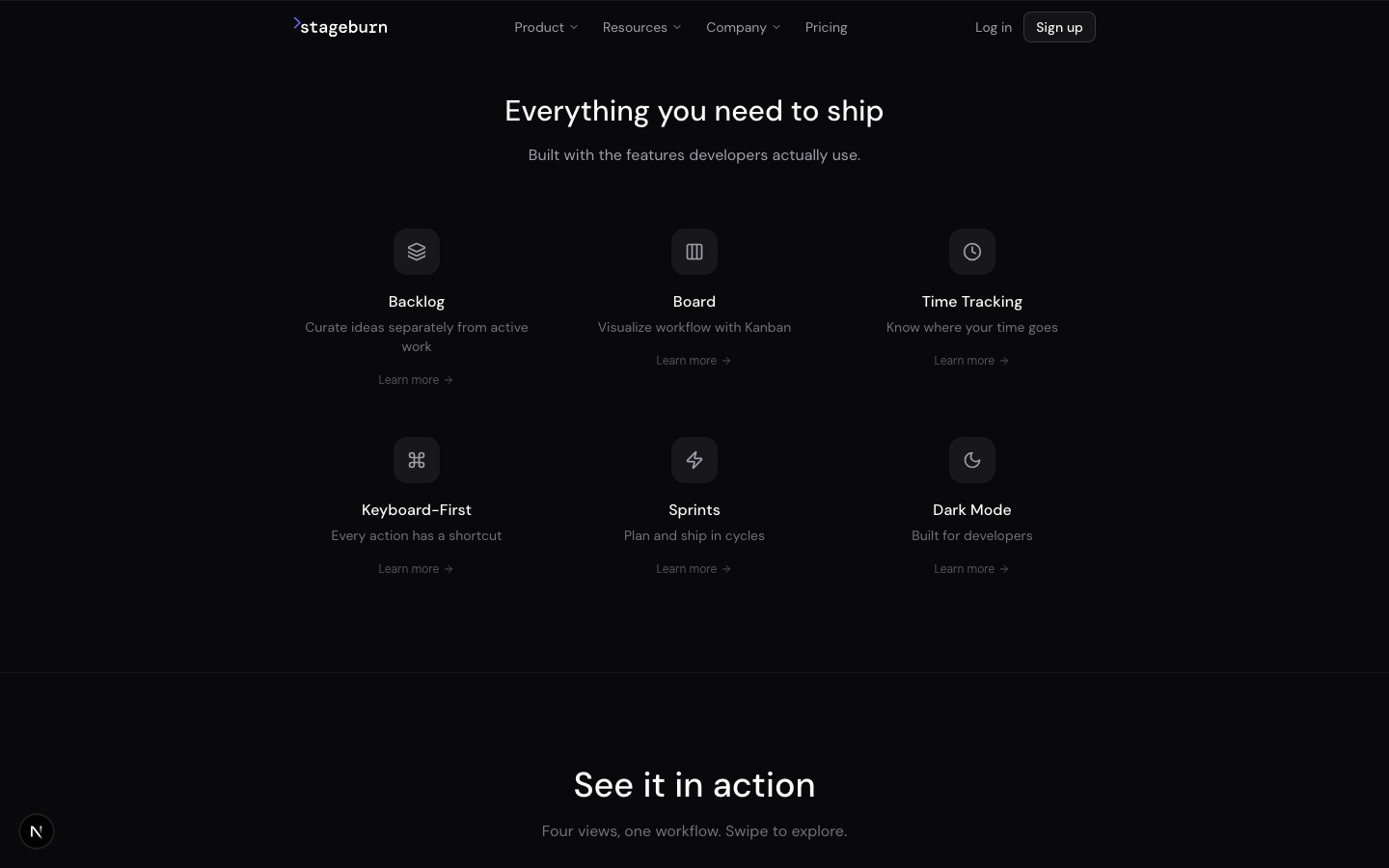
A separate Next.js app at stageburn.com communicates the product's positioning: "Project management for developers. Fast, keyboard-first, and complete."
The dark, minimal design mirrors the product's aesthetic. Keyboard hints appear throughout, reinforcing the keyboard-first message before users even sign up.
Results
Stageburn ships the features developers actually need without the enterprise bloat. The integrated time tracking eliminates the context-switching tax. The keyboard-first interface respects how developers prefer to work.
257 hours tracked across 8 projects. Real invoices sent. The tool built to solve my own problem now runs my consulting workflow.
Lessons Learned
Separate backlogs from boards. Early versions mixed them. Users complained about clutter. The separation clarified the mental model: backlogs for capturing, boards for executing.
Time tracking needs to be ambient. A timer buried in a menu doesn't get used. Putting it in the sidebar—always one click away—changed behavior.
Speed is the feature. Every interaction under 100ms. Users notice when software feels fast. It builds trust.
Customizable shortcuts matter. Developers have strong opinions about keybindings. Making them rebindable turned complaints into compliments.